Bạn đang muốn khám phá sức mạnh sáng tạo của Nano Banana Pro nhưng chưa biết bắt đầu từ đâu? Những mẫu prompt độc đáo chính là “chìa khóa” giúp bạn khai thác tối đa khả năng tạo hiệu ứng hình ảnh ấn tượng của công cụ này. Trong bài viết này, Phong Vũ Tech News sẽ tổng hợp 16 mẫu prompt Nano Banana Pro được nhiều người dùng đánh giá cao, vừa dễ áp dụng, vừa mang lại kết quả hình ảnh đầy cảm hứng. Hãy cùng xem và thử ngay để thấy sự khác biệt!
I. Cách sử dụng Nano Banana Pro
Để tạo ra những hiệu ứng hình ảnh ấn tượng, bạn cần nắm vững cách sử dụng Nano Banana Pro một cách đúng và hiệu quả. Công cụ AI này hoạt động dựa trên việc nhập prompt – đoạn lệnh mô tả giúp hệ thống hiểu và tái tạo hình ảnh theo ý tưởng của bạn. Chỉ với vài bước đơn giản, bạn đã có thể tạo ra tác phẩm độc đáo mang dấu ấn riêng.
Cách sử dụng Nano Banana Pro chi tiết như sau:
Bước 1. Truy cập Gemini: Mở trang web gemini.google.com.
Bước 2. Đăng nhập tài khoản: Dùng tài khoản cá nhân hoặc tài khoản tạo mới để bắt đầu.
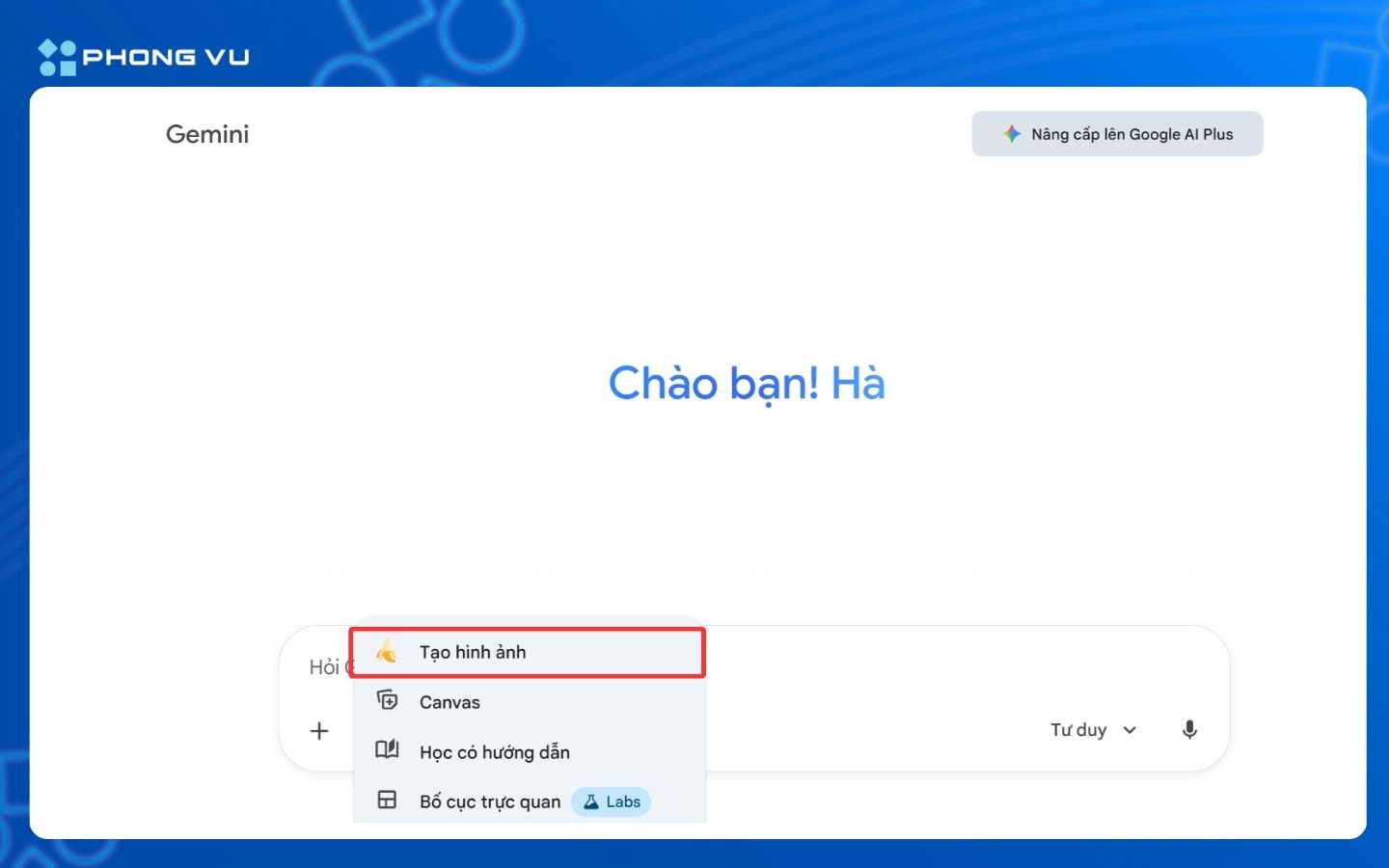
Bước 3. Truy cập Nano Banana Pro: Bấm vào Công cụ, chọn Tạo hình ảnh Nano Banana Pro (biểu tượng quả chuối).
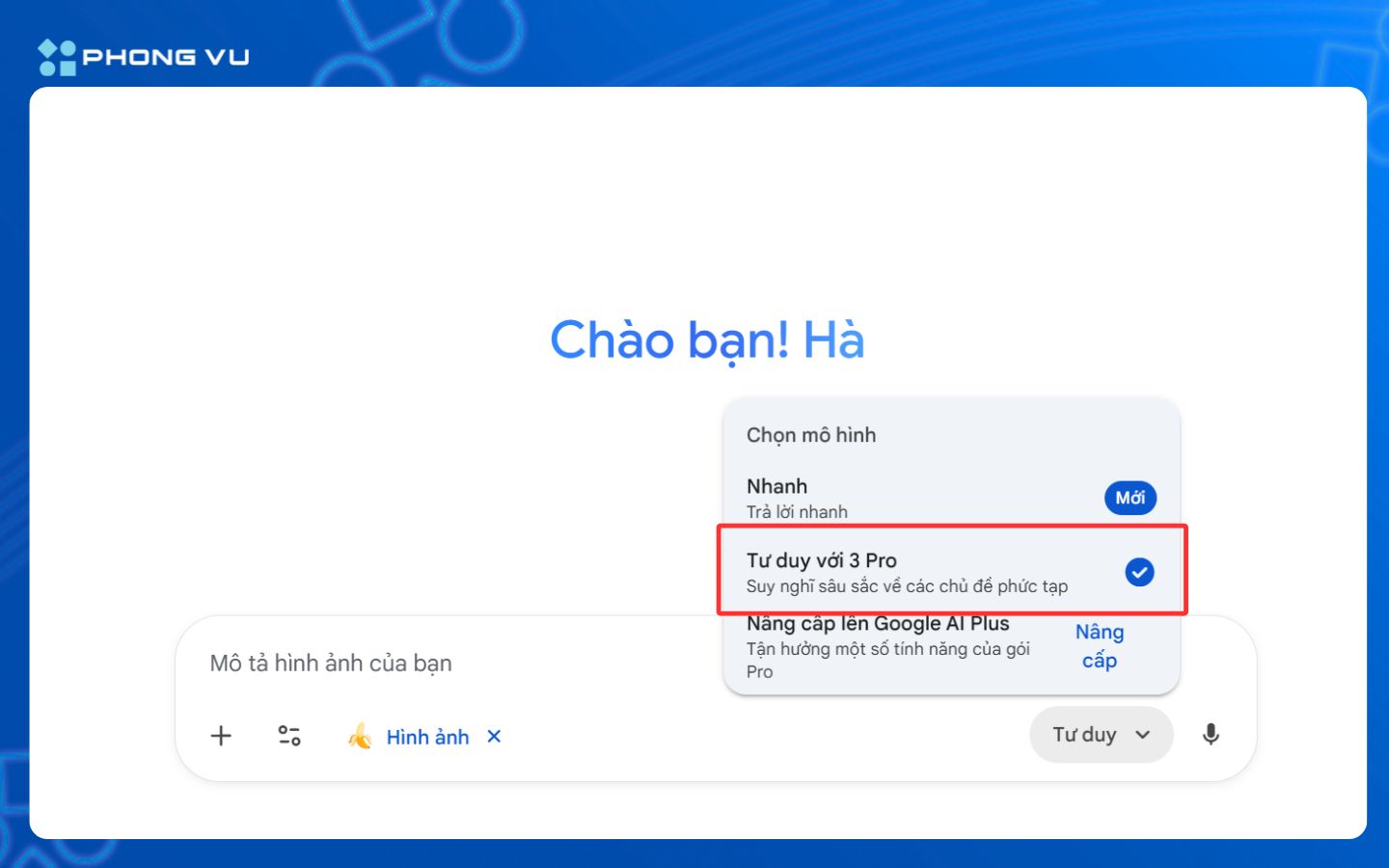
Bước 4. Chọn mô hình tư duy: Ở góc bên phải khung soạn thảo, bấm vào Tư duy chọn mô hình Tư duy với 3 Pro.
Bước 5. Tải tệp lên: Bấm vào dấu + ở khung chat, chọn Tải tệp lên rồi chọn ảnh bạn muốn dùng. Hoặc trực tiếp sao chép và dán ảnh vào. Lưu ý nên chọn ảnh chính diện, sắc nét.
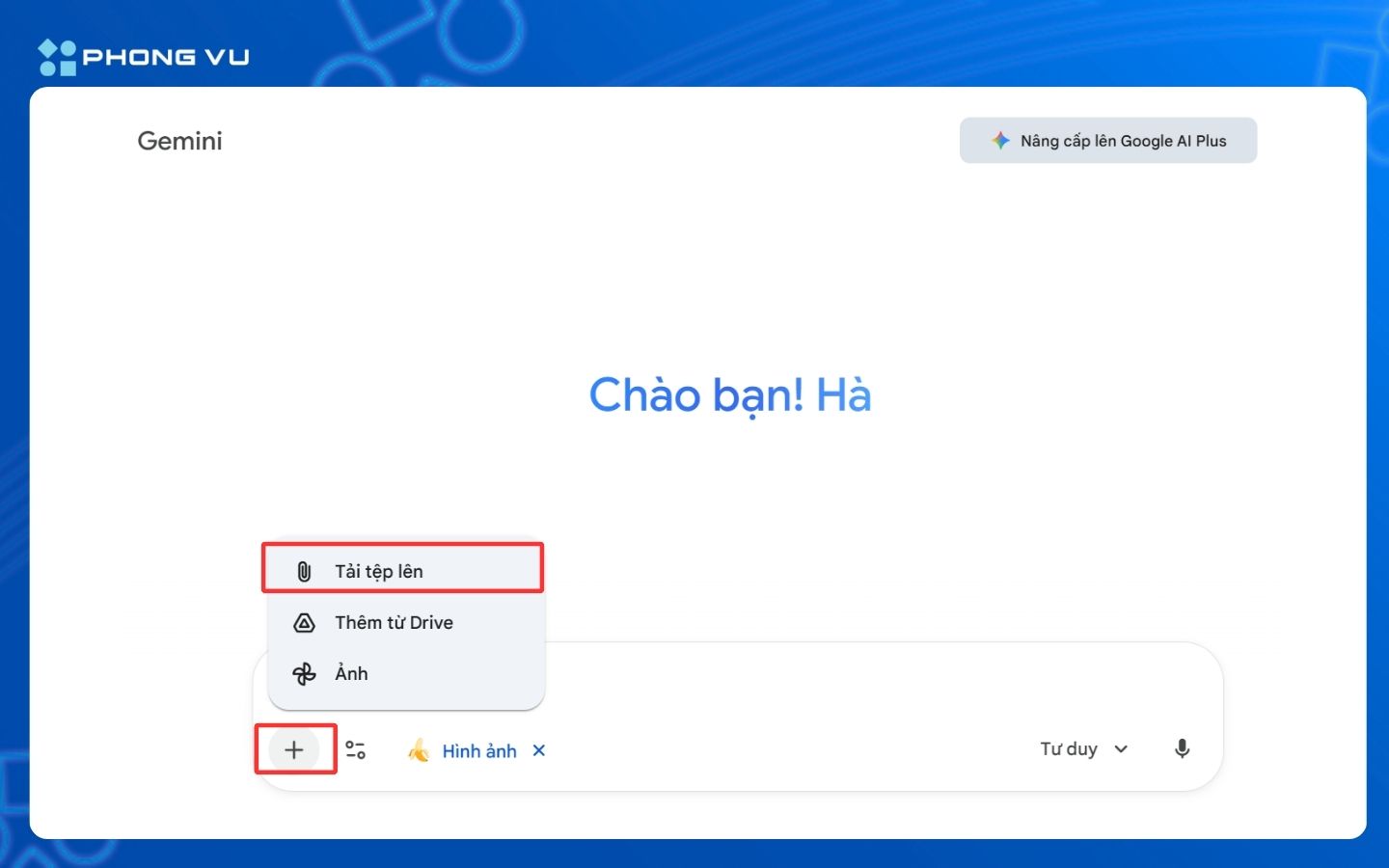
Bước 6. Nhập prompt: Gõ mô tả chi tiết về hình ảnh bạn muốn tạo (màu sắc, phong cách, ánh sáng, bố cục…).
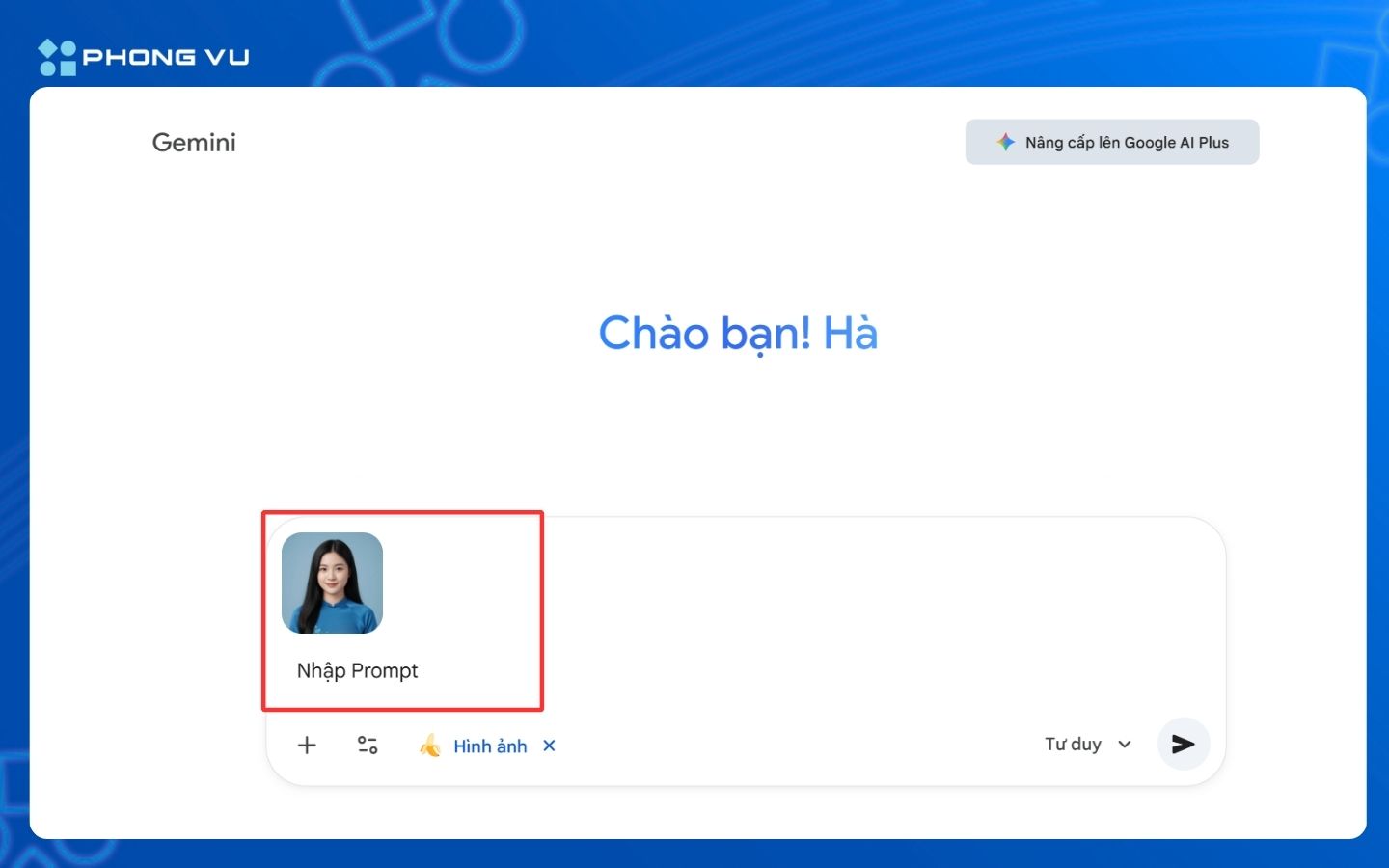
Bước 7. Chờ kết quả: Nhấn Enter để Nano Banana Pro sẽ phân tích câu lệnh và tạo hình ảnh đầu ra gần như ngay lập tức. Sau cùng về hình ảnh sau khi hoàn tất.
Nếu bạn đang muốn thử nghiệm Nano Banana Pro mượt mà hơn, hãy tham khảo ngay các mẫu laptop cấu hình mạnh đang bán tại Phong Vũ để tối ưu hiệu suất cho mọi tác vụ sáng tạo:
II. Tổng hợp các mẫu prompt Nano Banana Pro
Sau khi đã nắm được cách sử dụng công cụ, đây chính là phần thú vị nhất – nơi bạn có thể thỏa sức sáng tạo với những mẫu prompt gợi ý. Mỗi prompt đều mang phong cách và hiệu ứng riêng, giúp bạn dễ dàng chọn được hướng thể hiện phù hợp với dự án của mình. Hãy xem qua danh sách dưới đây và thử nghiệm từng mẫu để tìm ra hiệu ứng hình ảnh bạn cần:
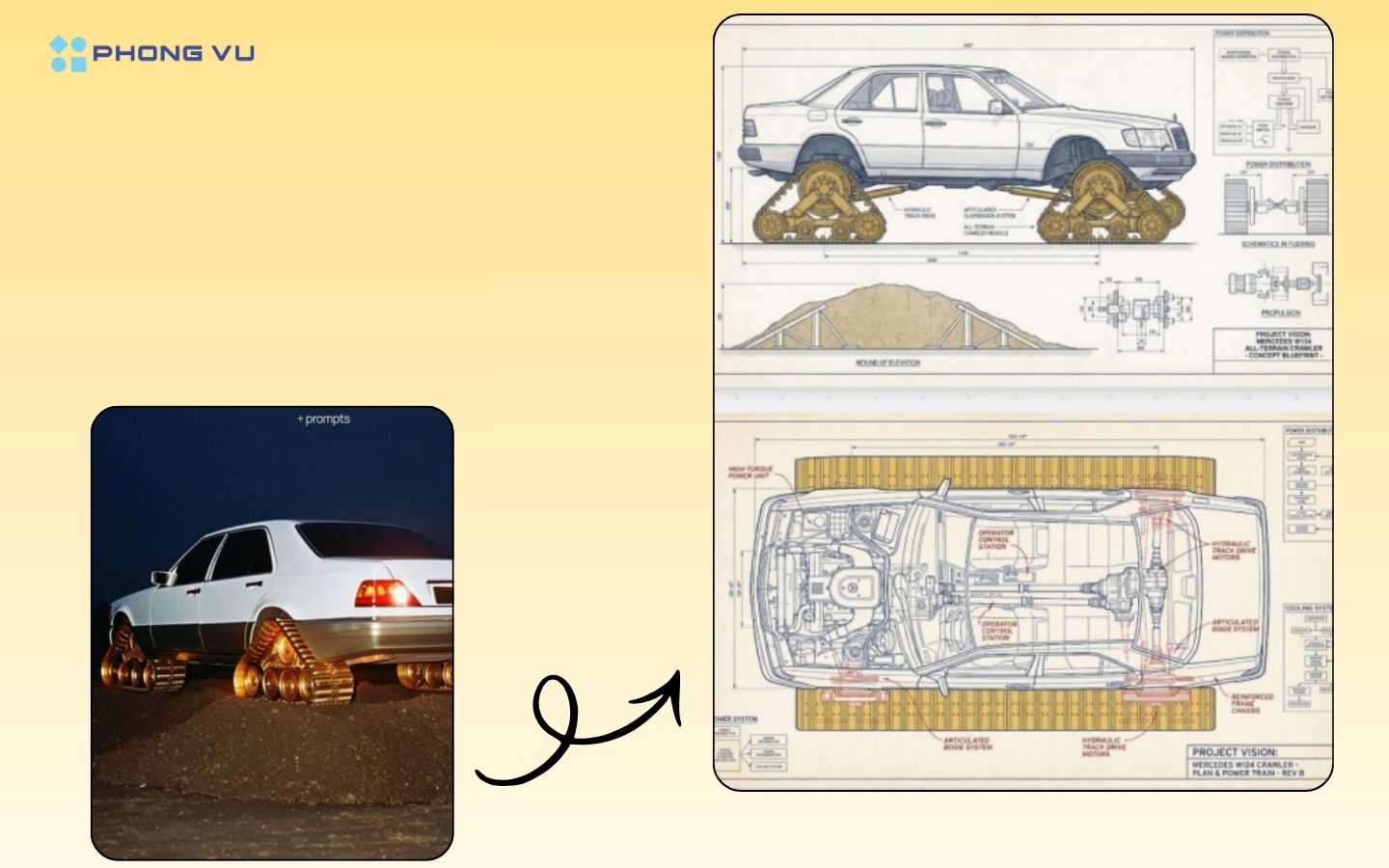
Prompt số 1 – Biến ảnh thật thành bản vẽ kỹ thuật sáng tạo:
Create a technical drawing of this photo, make it [visionary]. Additional prompt: Now make a different angle and highlight a different features.
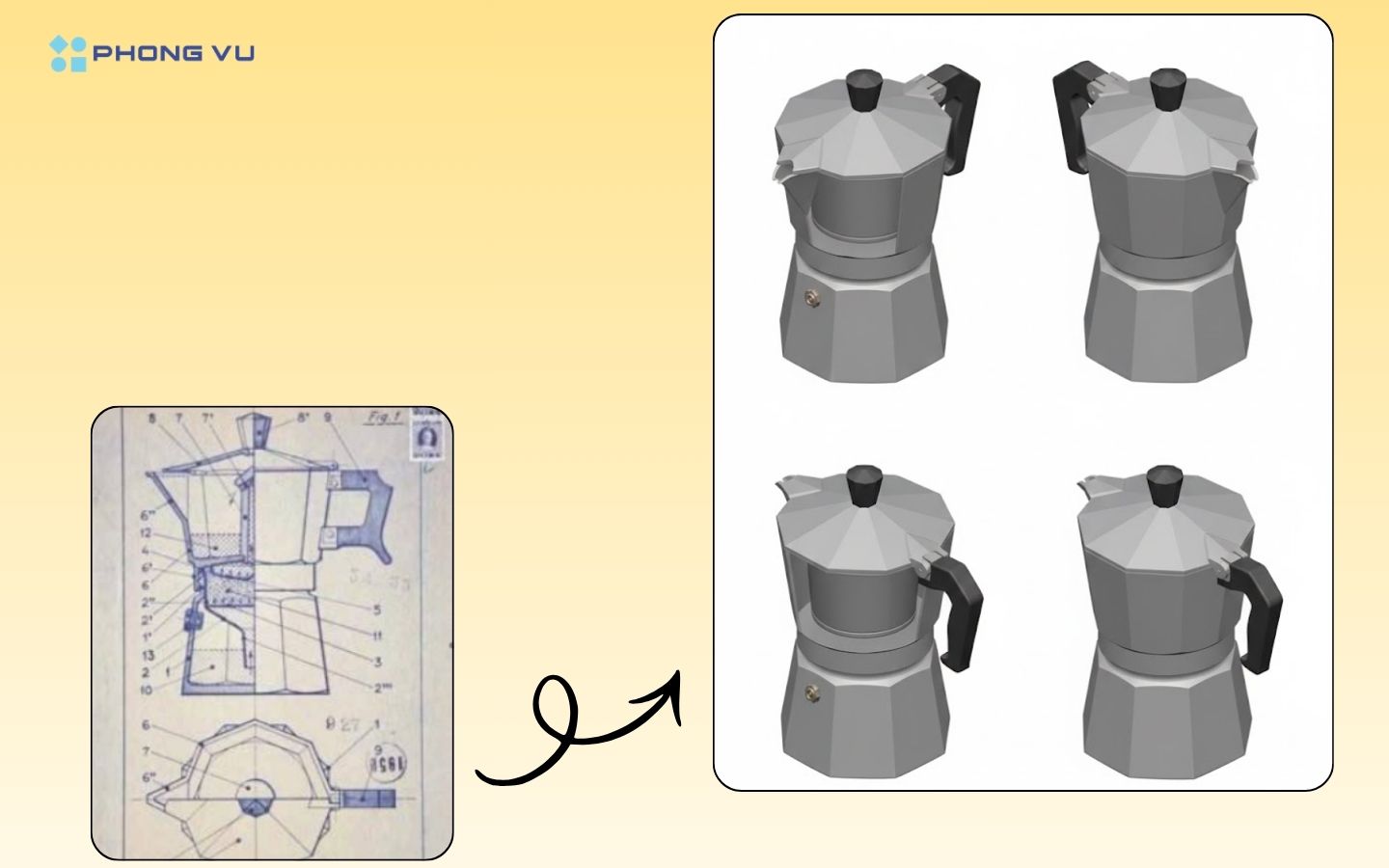
Prompt số 2 – Tạo mô hình 3D isometric từ bản vẽ 2D:
Create a 3D model from the provided 2D engineering drawing. Create front, side, top, and back views in isometric perspective, white background.
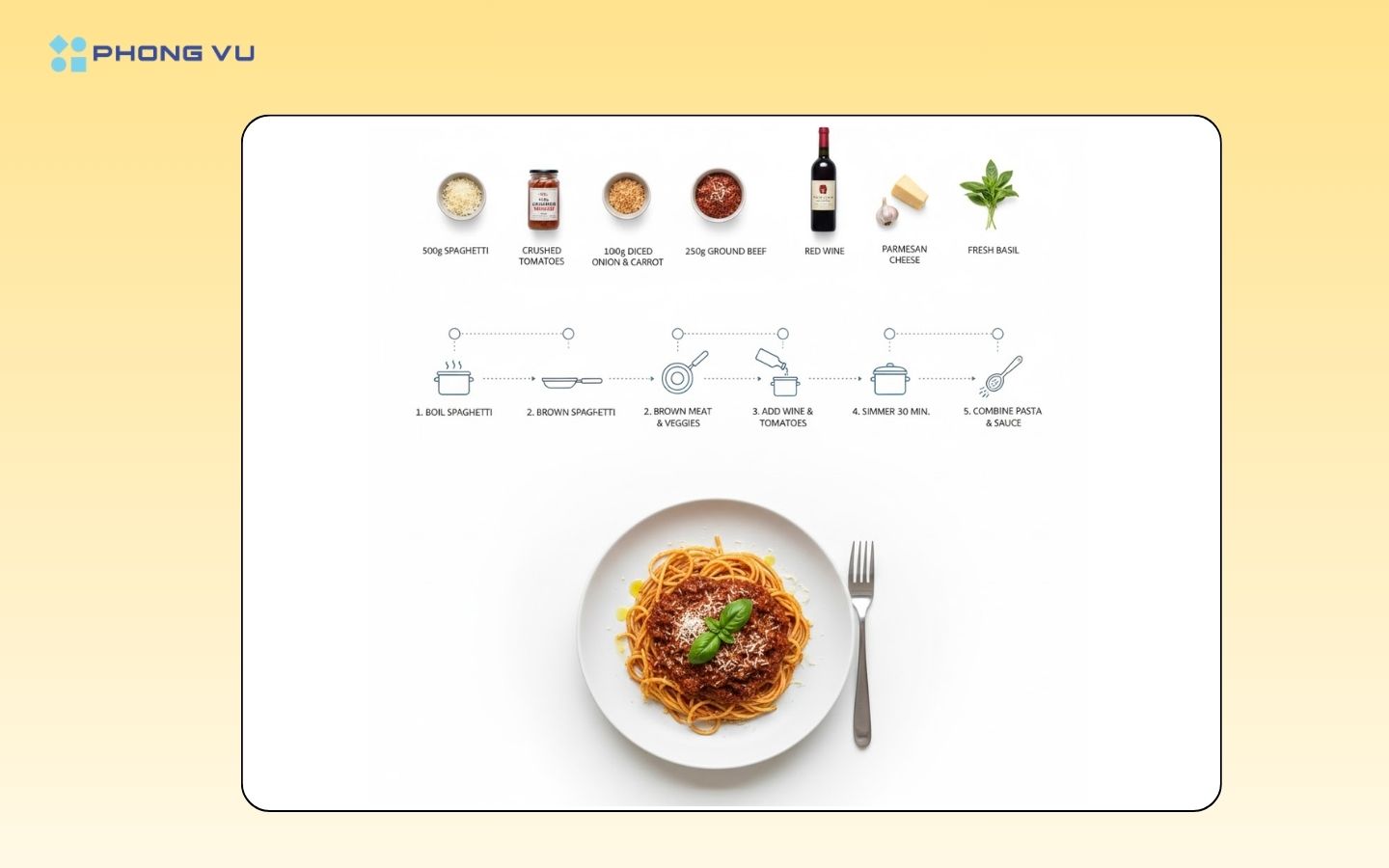
Prompt số 3 – Tạo infographic (đồ họa thông tin) công thức nấu ăn tối giản:
Create step-by-step recipe infographic for [bolognese pasta], top-down view, minimal style on white background, ingredient photos labeled: “[x] g spaghetti”, and other necessary ingredients (add them yourself), dotted node lines showing process steps with icons (boiling pot, mixing and others), final plated pasta shot at the bottom.
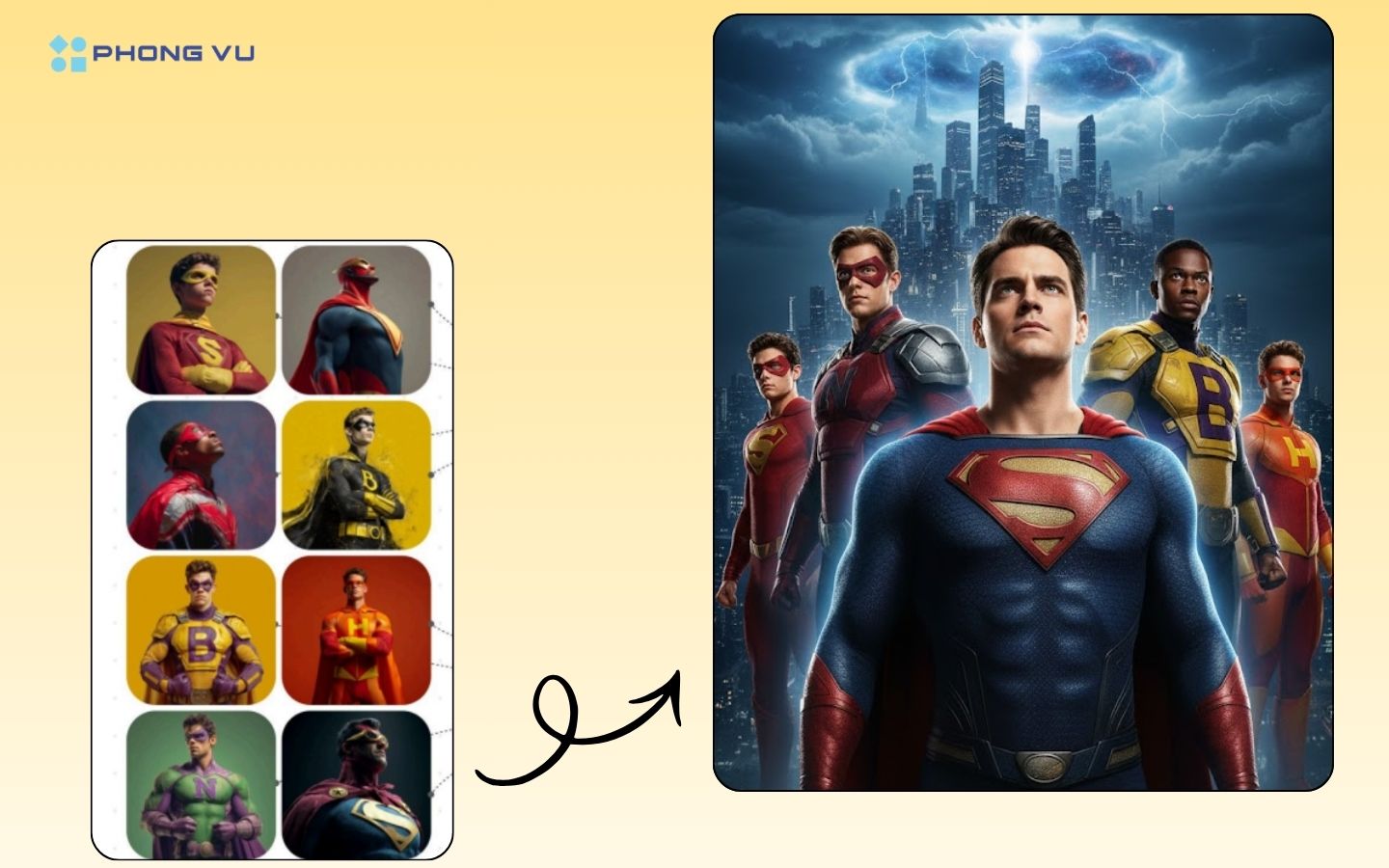
Prompt số 4 – Tạo poster phim hành động kiểu Hollywood:
Create a professional Hollywood blockbuster movie poster design featuring all 8 superheroes from the provided images. Design requirements:
MAIN COMPOSITION:
- Arrange all 8 characters in a dynamic, heroic group composition with depth and hierarchy.
- Central hero(es) in foreground, others positioned at various depths creating layered effect.
- Dramatic upward-looking angle (worm’s eye view) to emphasize power and scale.
- Epic sky or dramatic background (stormy clouds, city skyline, or cosmic space).
- Cinematic lighting with strong highlights and shadows, rim lighting on characters.
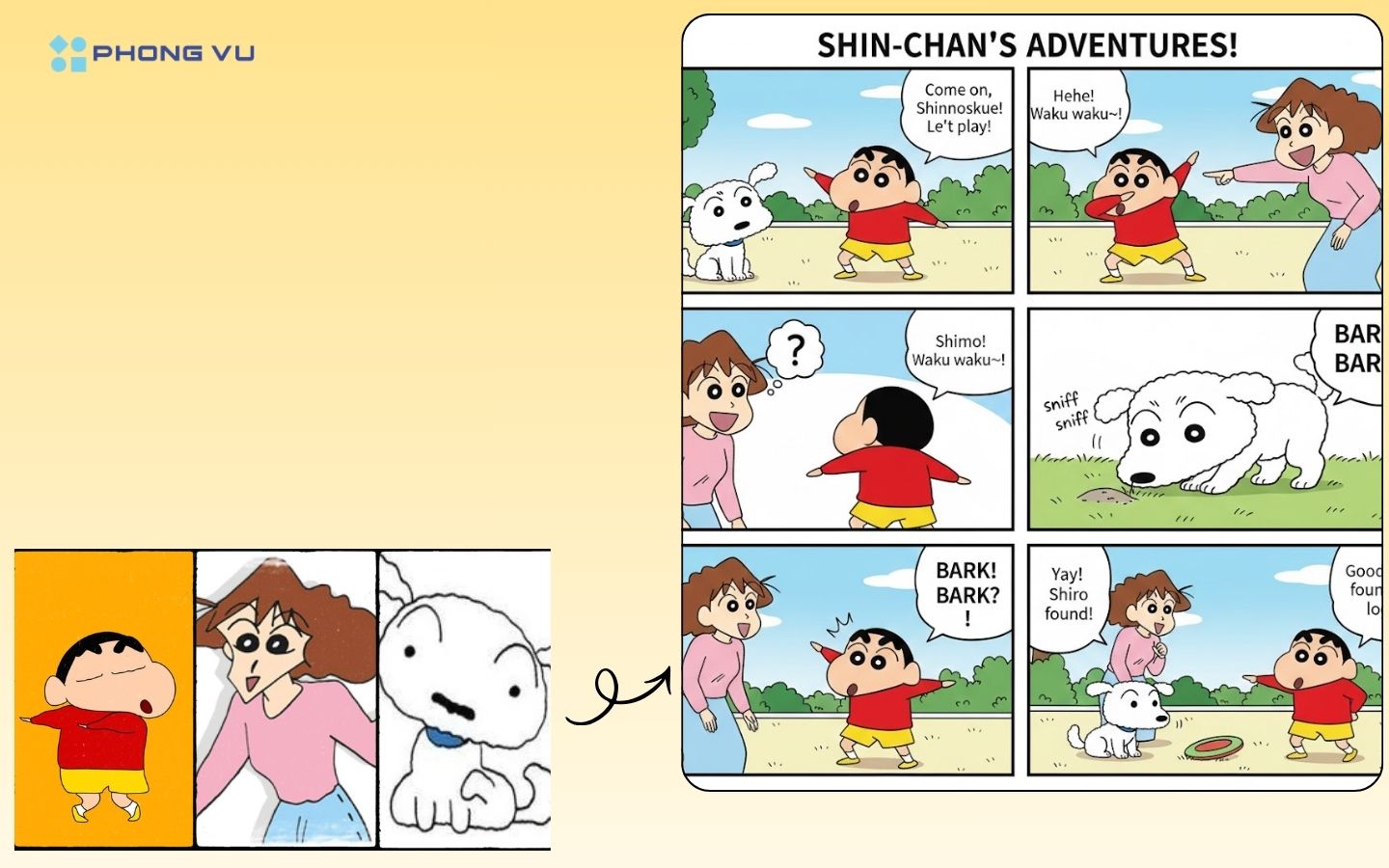
Prompt số 5 – Tạo trang truyện tranh hoàn chỉnh có phối cảnh, thoại, biểu cảm nhân vật:
Generate a comic book page with a story using all the uploaded characters.
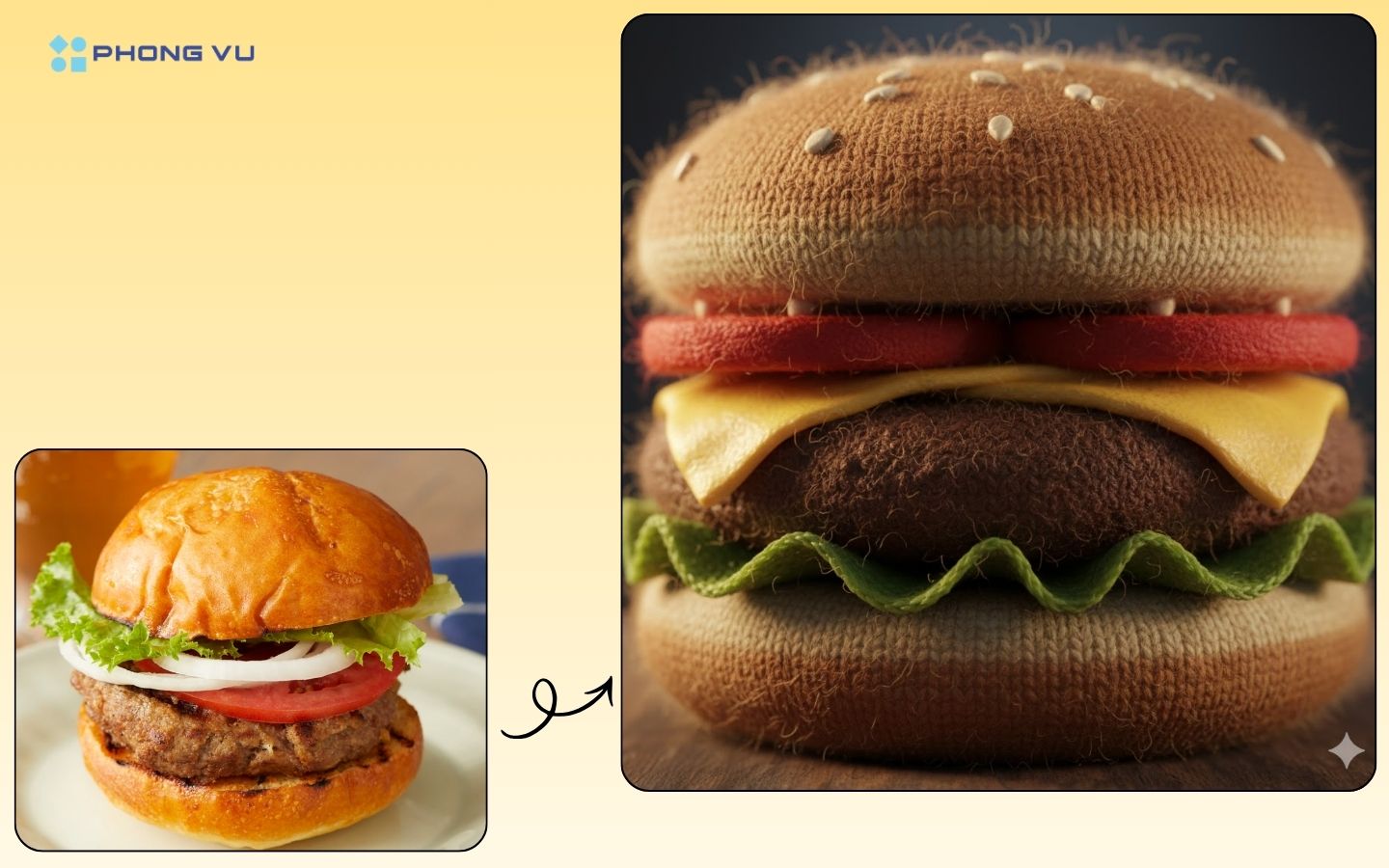
Prompt số 6 – Tạo ảnh thức ăn làm bằng len:
A photorealistic close-up photograph of a [NAME OF FOOD] made entirely out of knitted wool yarn. Show the fuzzy texture of the wool strands, the stitching patterns, and realistic lighting.
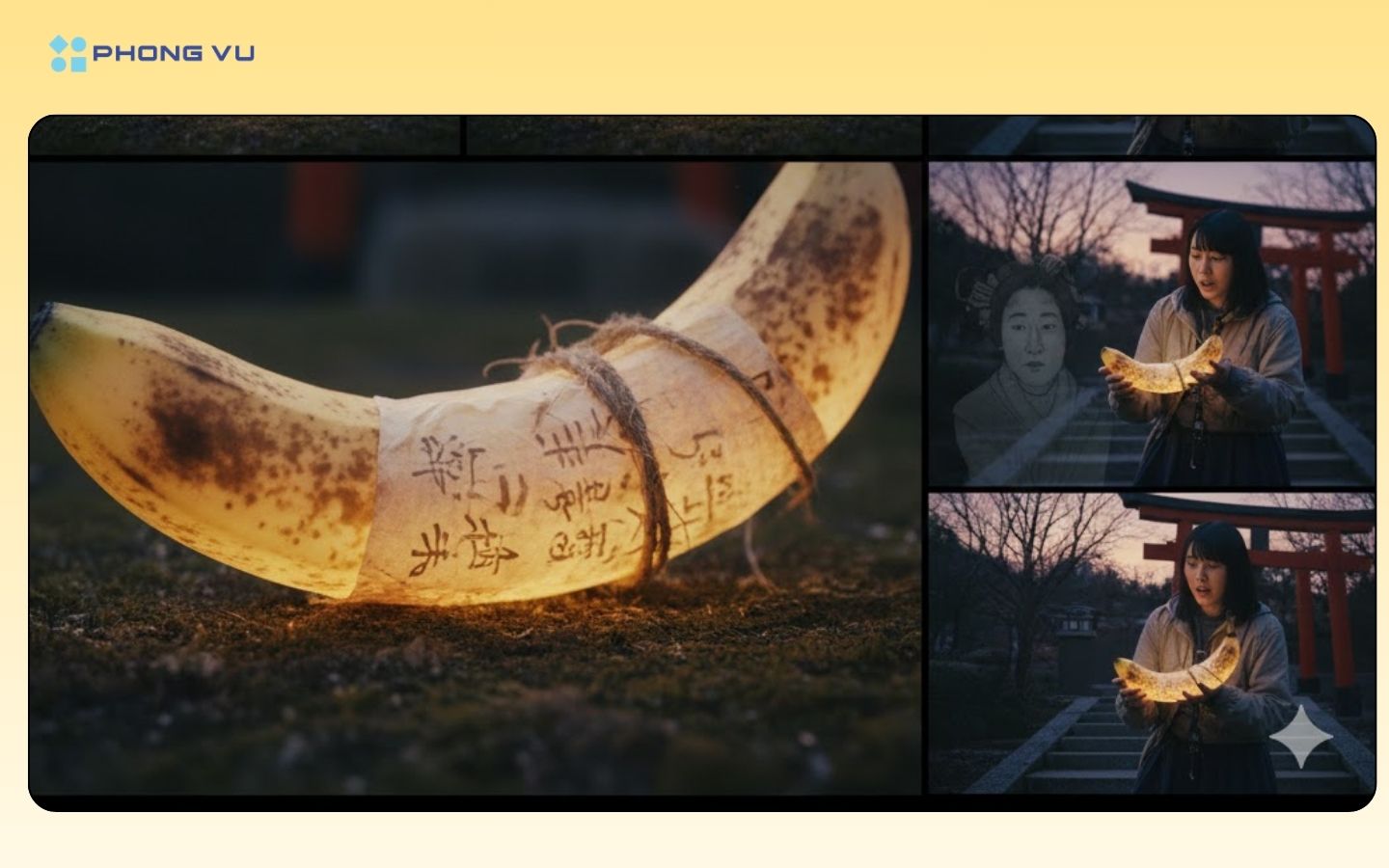
Prompt số 7 – Tạo ra chuỗi khung hình mang phong cách điện ảnh:
Generate a cinematic photorealistic sequence for my story. All frames are 16:9 aspect ratio.
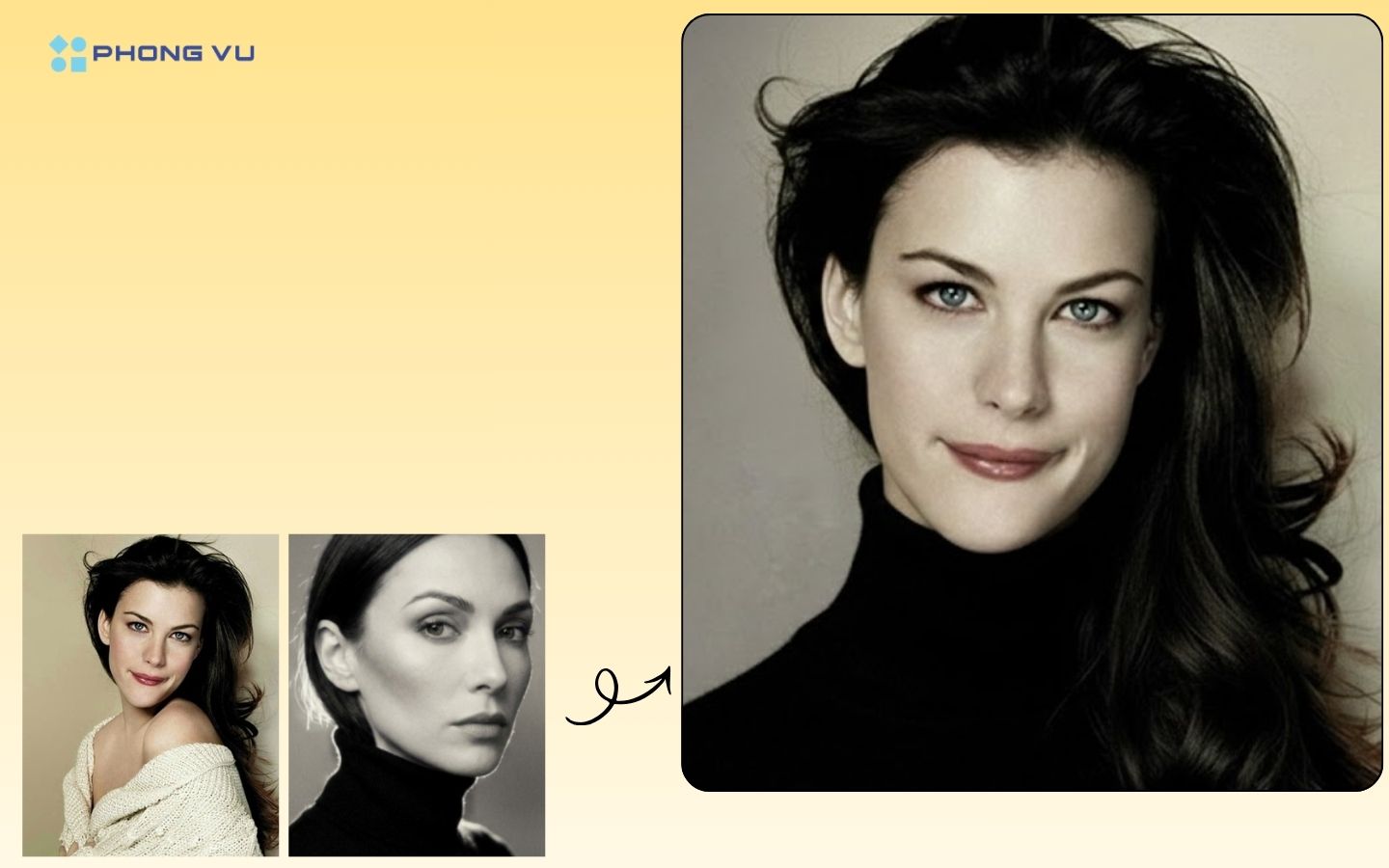
Prompt số 8 – Tạo ảnh hoán đổi khuôn mặt (face swap) giữa hai hình:
Switch faces so that the face and head of image 1 are on the body of image 2.
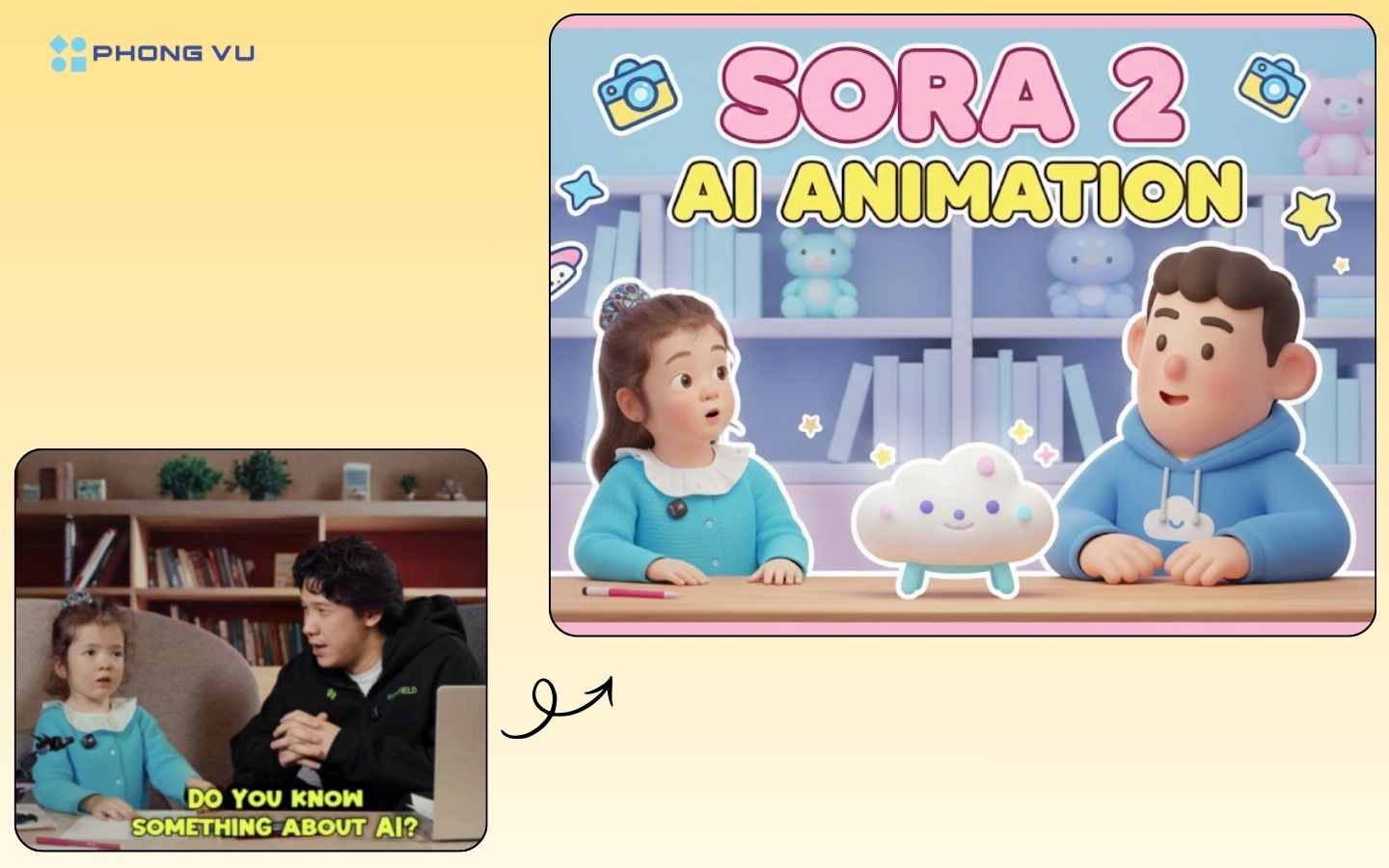
Prompt số 9 – Tạo thumbnail YouTube phong cách dễ thương:
Create an amazing YouTube thumbnail in a baby style based on the theme ‘Sora 2 AI Animation.
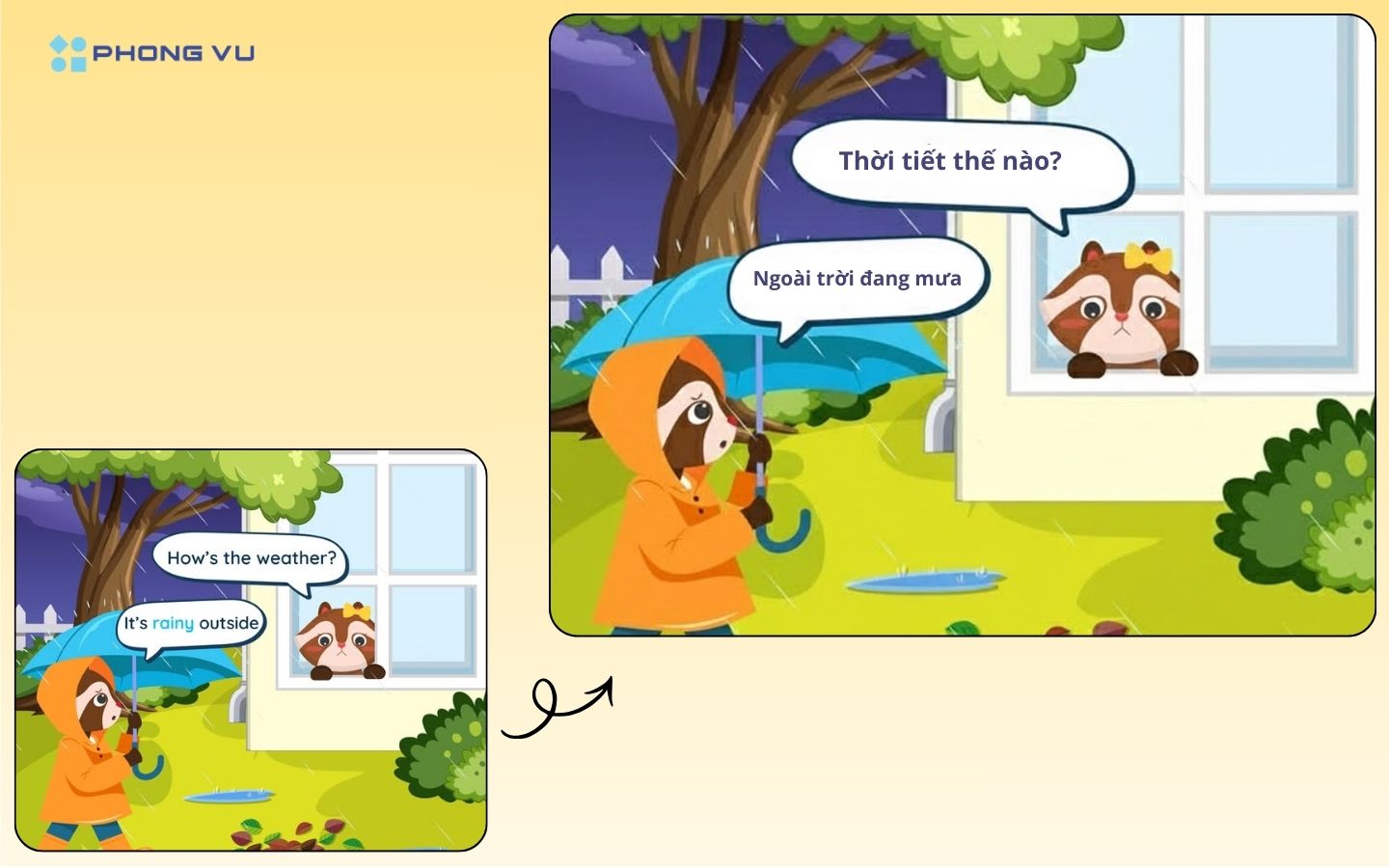
Prompt số 10 – Dịch truyện vẫn giữ nguyên bố cục ảnh:
Keep all the content the same, translate the speech bubbles into [LANGUAGE] and re-render.
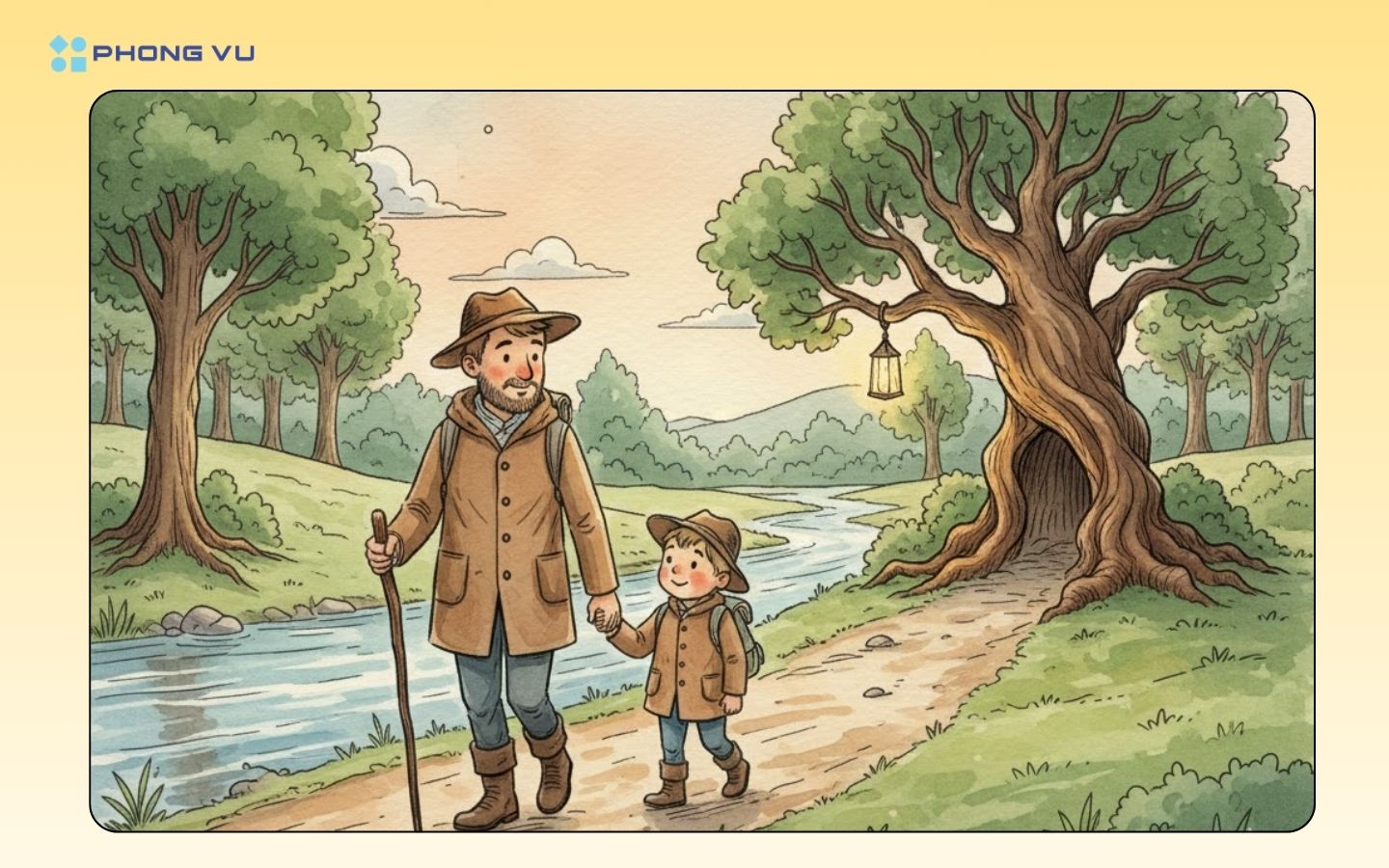
Prompt số 11 – Biến ảnh hoặc mô tả thành tranh minh họa màu nước cổ điển:
Traditional, whimsical watercolor illustration with a storybook aesthetic. Here is a breakdown of the key elements: Medium: Primarily watercolor painting, characterized by soft, translucent washes of color, blending effects (especially in the sky and water), and visible pigment texture. Linework: Features distinct, sketchy, hand-drawn black ink outlines that define the figures, landscape, and text. These lines are loose and irregular, contributing to an informal, charming feel. Color Palette:
The colors are natural, subdued, and earthy, dominated by soft blues (sky/water), various greens (trees/grass), and browns (dirt path/clothing). The palette feels nostalgic and pleasant, avoiding harsh or overly saturated tones. Composition & Tone: The scene has a storybook or picture book quality—it’s idealized, warm, and sentimental, centered on the adventure of a father and child. The title’s script font enhances this narrative, inviting, whimsical tone. Overall Impression: The style evokes a feeling of nostalgia, adventure, and classic illustration, similar to the look of early 20th-century children’s books or nature guides.
Prompt số 12 – Tạo khung truyện tranh manga phong cách Nhật:
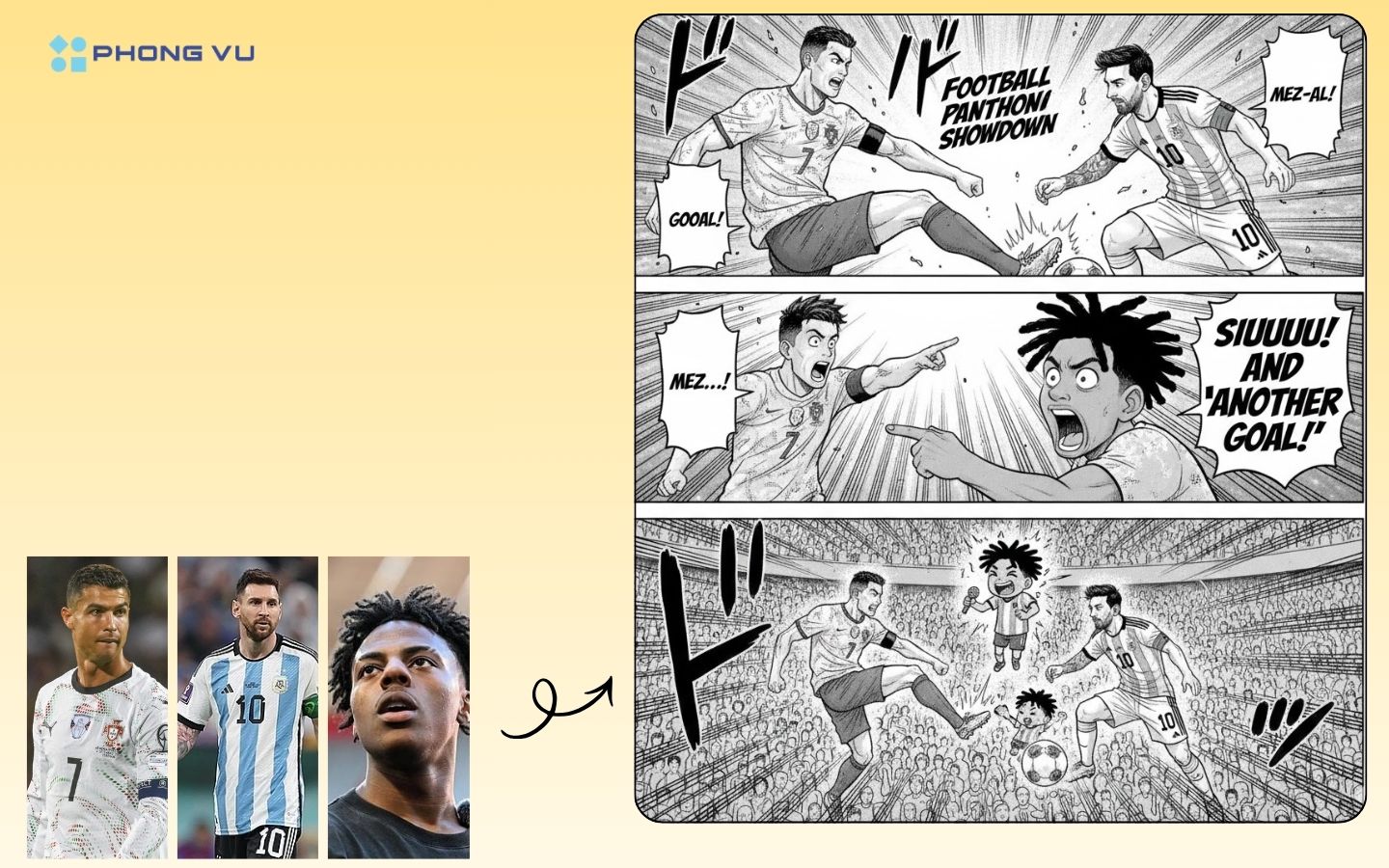
Create a manga panel of these characters, show the stand noff between Messi and Ronaldo.
Prompt số 13 – Mở rộng không gian ảnh:
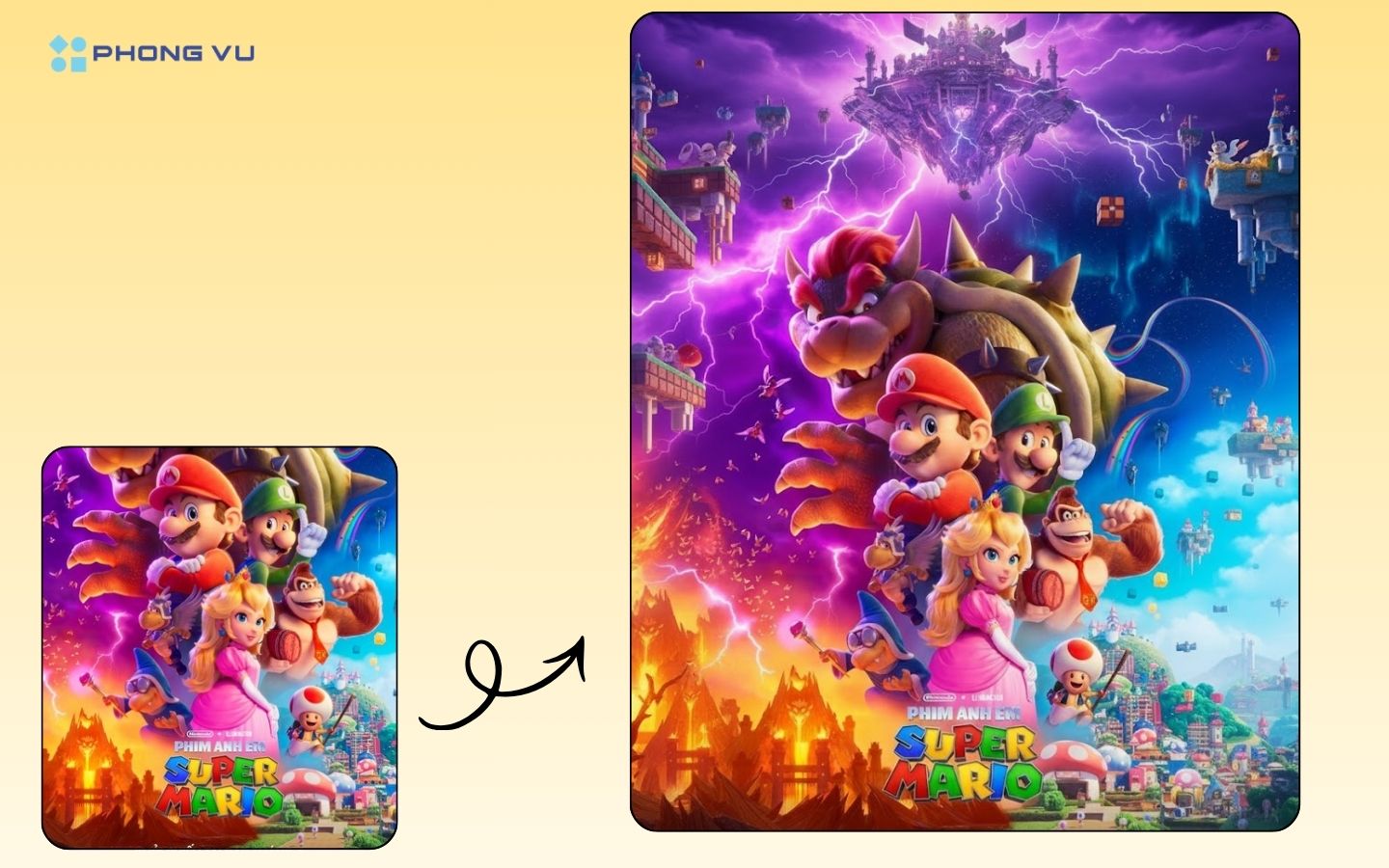
Expand this image.
Prompt số 14 – Thiết kế menu nhà hàng cao cấp mang phong cách truyền thống – nghệ thuật:
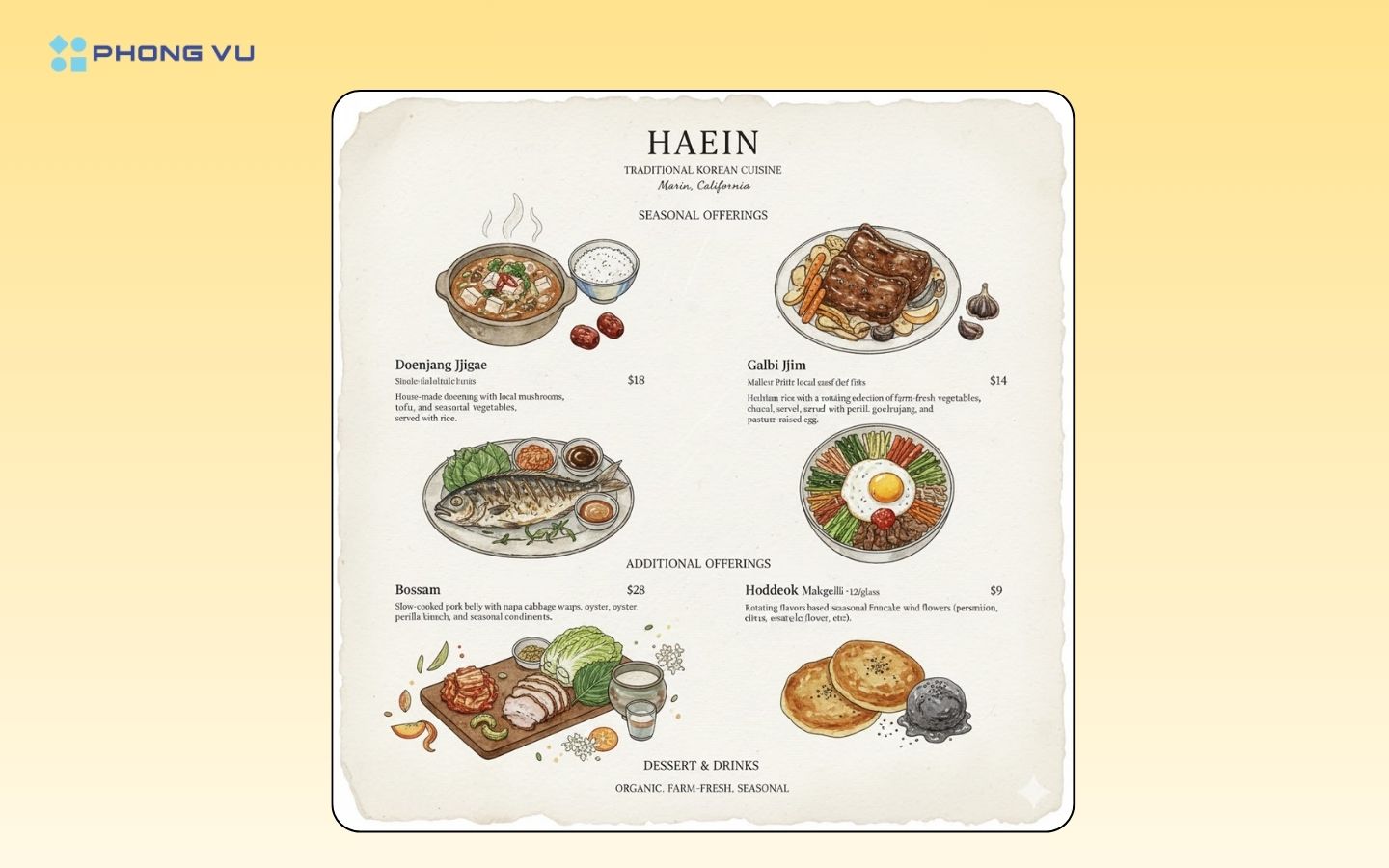
I’m opening a traditional concept restaurant in Marin called Haein. It focuses on Korean food cooked with organic, farm-fresh ingredients, with a rotating menu based on what’s seasonal. I want you to design an image – a menu incorporating the following menu items – lean into the traditional/rustic style while keeping it feeling upscale and sleek. Please also include illustrations of each dish in an elegant, peter rabbit style. Make sure all the text is rendered correctly, with a white background.
(Top)
Doenjang Jjigae (Fermented Soybean Stew) – $18 House-made doenjang with local mushrooms, tofu and seasonal vegetables served with rice.
Galbi Jjim (Braised Short Ribs) – $34 Slow-braised local grass-fed beef ribs with pear and black garlic glaze, seasonal root vegetables, and jujube.
Grilled Seasonal Fish – Market Price (22−22−30) Whole or fillet of local, sustainable fish grilled over charcoal, served with perilla leaf ssam and house-made sauces.
Bibimbap – $19 Heirloom rice with a rotating selection of farm-fresh vegetables, house- fermented gochujang, and pasture-raised egg.
Bossam (Heritage Pork Wraps) – $28 Slow-cooked pork belly with napa cabbage wraps, oyster kimchi, perilla, and seasonal condiments.
(Bottom) Dessert & Drinks
Seasonal Makgeolli (Rice Wine) – $12/glass Rotating flavors based on seasonal fruits and flowers (persimmon, citrus, elderflower, etc.).
Hoddeok (Korean Sweet Pancake) – $9 Pan-fried cinnamon-stuffed pancake with black sesame ice creams.
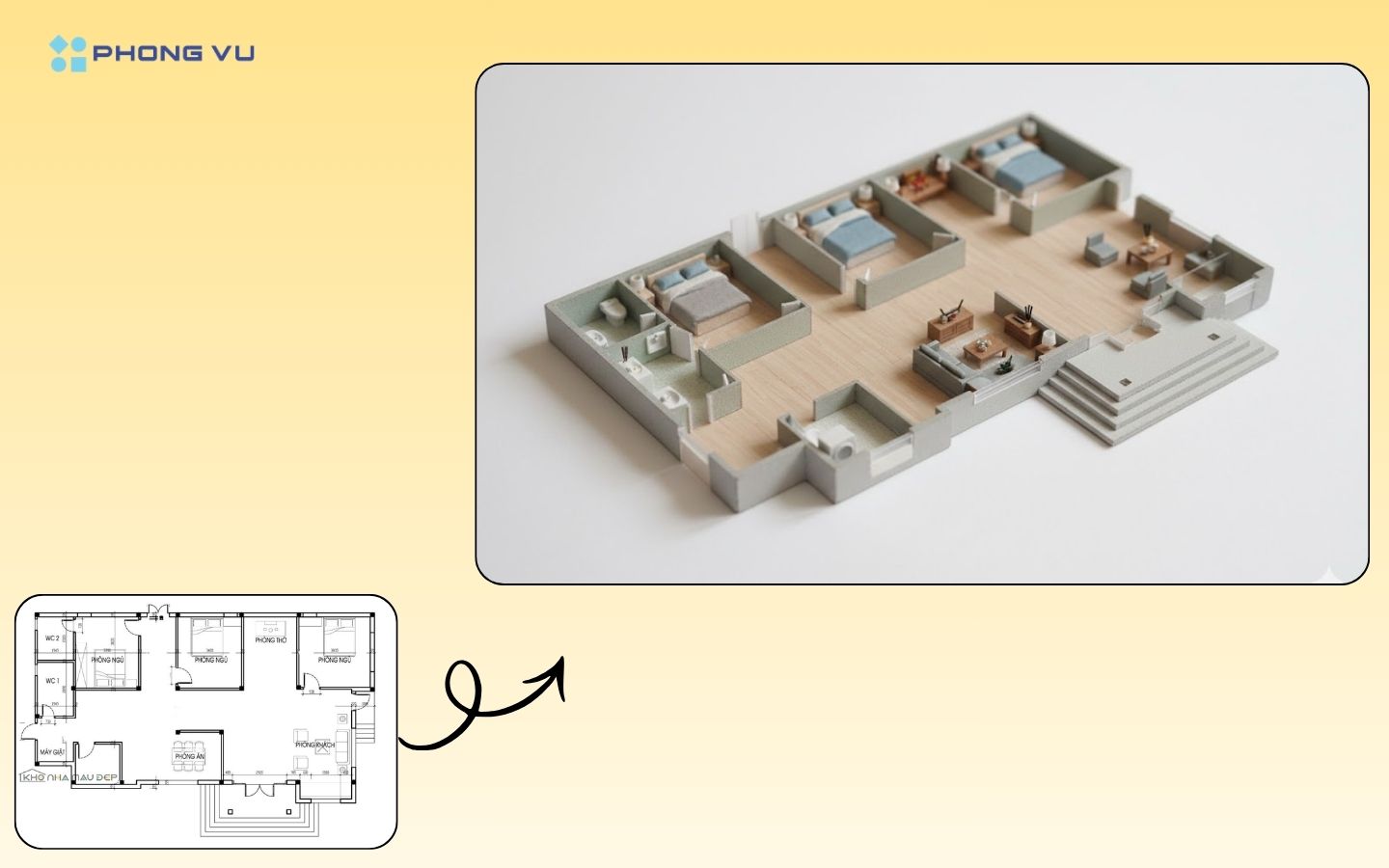
Prompt số 15 – Tạo mô hình 3D thu nhỏ:
Create photorealistic 3D render of the entire floor plan, seen from afar, to the side, miniature maquette fully colorized render, with furniture inside. Keep the exact same rooms at their location, with the right equipment, but remove the text from the final image. High resolution, pro quality.
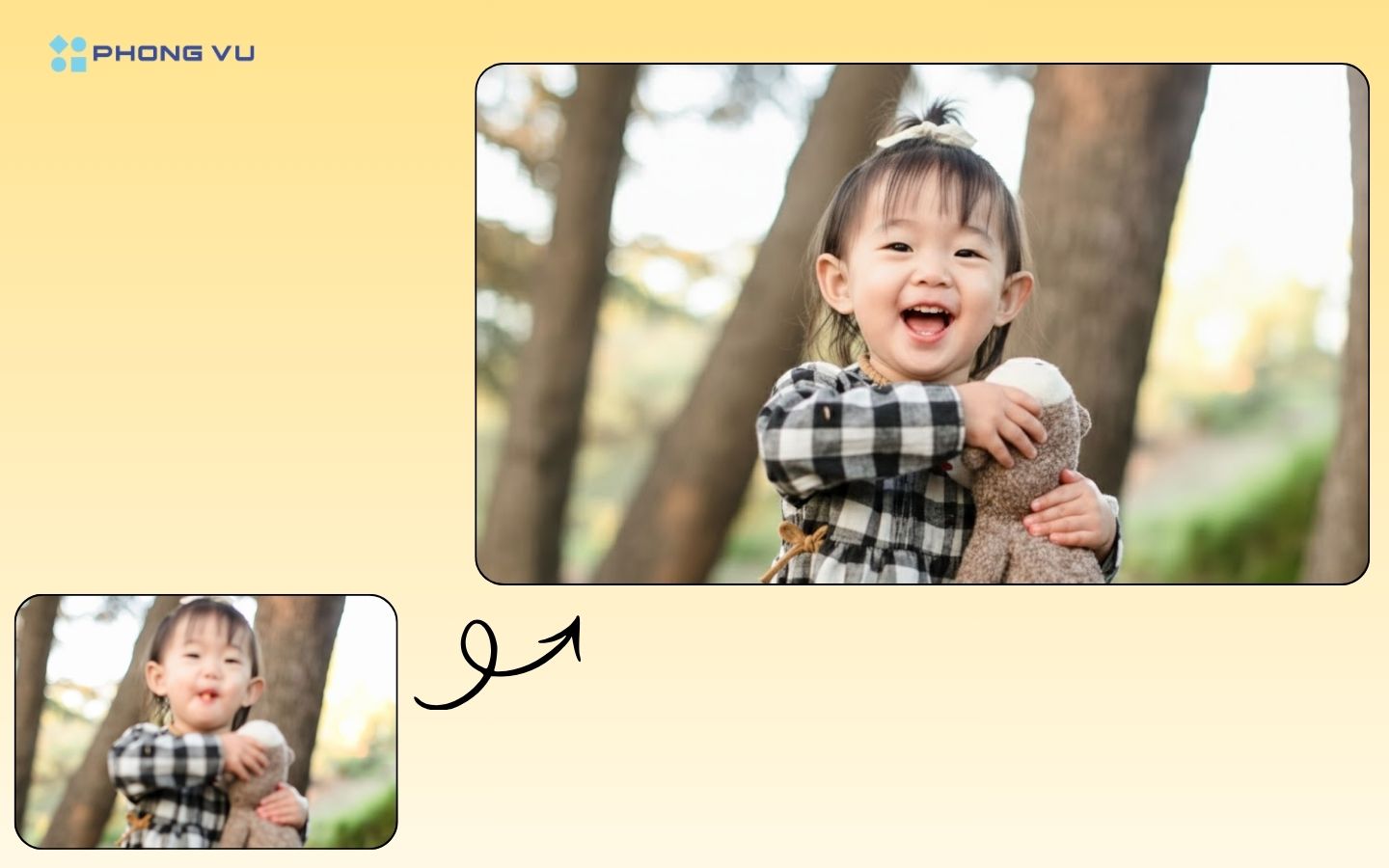
Prompt số 16 – Khử mờ và phục hồi ảnh:
Take the provided blurred photo and transform it into an ultra-sharp, realistic lifestyle shot without changing the composition or objects.
III. Tổng kết
Hy vọng qua bài viết này, bạn đã có thêm nhiều ý tưởng để khai thác sức mạnh của Nano Banana Pro trong việc tạo hiệu ứng hình ảnh độc đáo và chuyên nghiệp. Dù là người mới hay đã quen với công cụ này, những mẫu prompt trên chắc chắn sẽ giúp bạn mở rộng khả năng sáng tạo. Đừng ngần ngại thử nghiệm, tinh chỉnh và khám phá thêm nhiều cách thể hiện mới mẻ. Và hãy theo dõi thêm các bài viết hữu ích khác tại Phong Vũ Tech News để cập nhật xu hướng công nghệ và mẹo sáng tạo mới nhất nhé!
Bài viết liên quan: